
Event Branding and Distance from Hotels
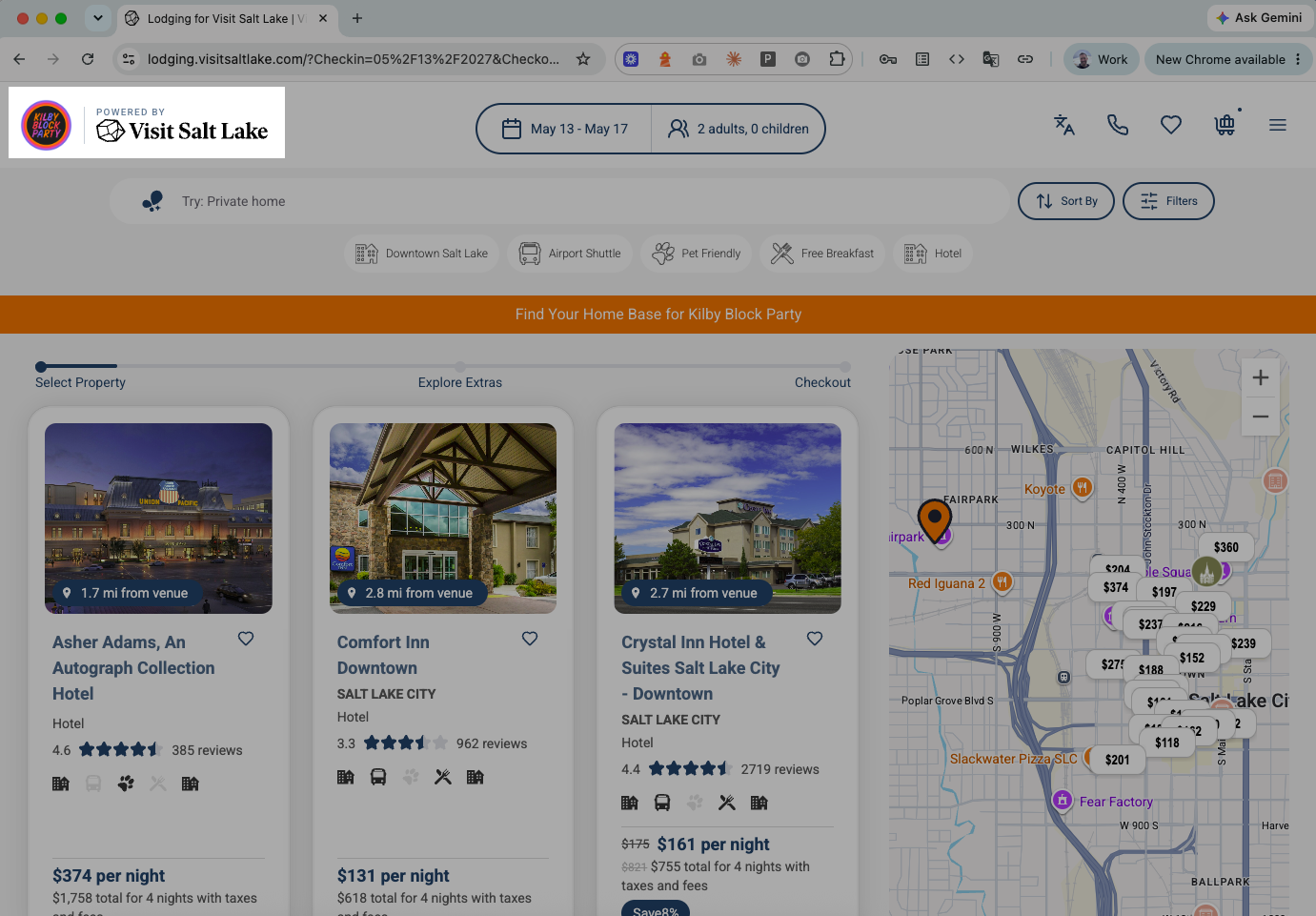
Your event and venue microsites just got a lot more helpful for travelers. You can now show the event's logo right on the booking page, and each property now shows how far it is from the venue. The second one is a feature travelers have been asking for, for a long time. Both are available now.
Why We Built This
Travelers booking around an event want two things: confidence that they're in the right place, and a quick way to see which options are close to the action. Pairing the event's logo with a custom banner message gives the page context and credibility, and distance to venue answers the "how far is it?" question before they have to ask. For event organizers, it makes the microsite feel like their own, with no design work required.
What You Get
- Event or venue logo — displayed alongside your logo in the microsite header, using the microsite's color theme automatically. Works on desktop and mobile.
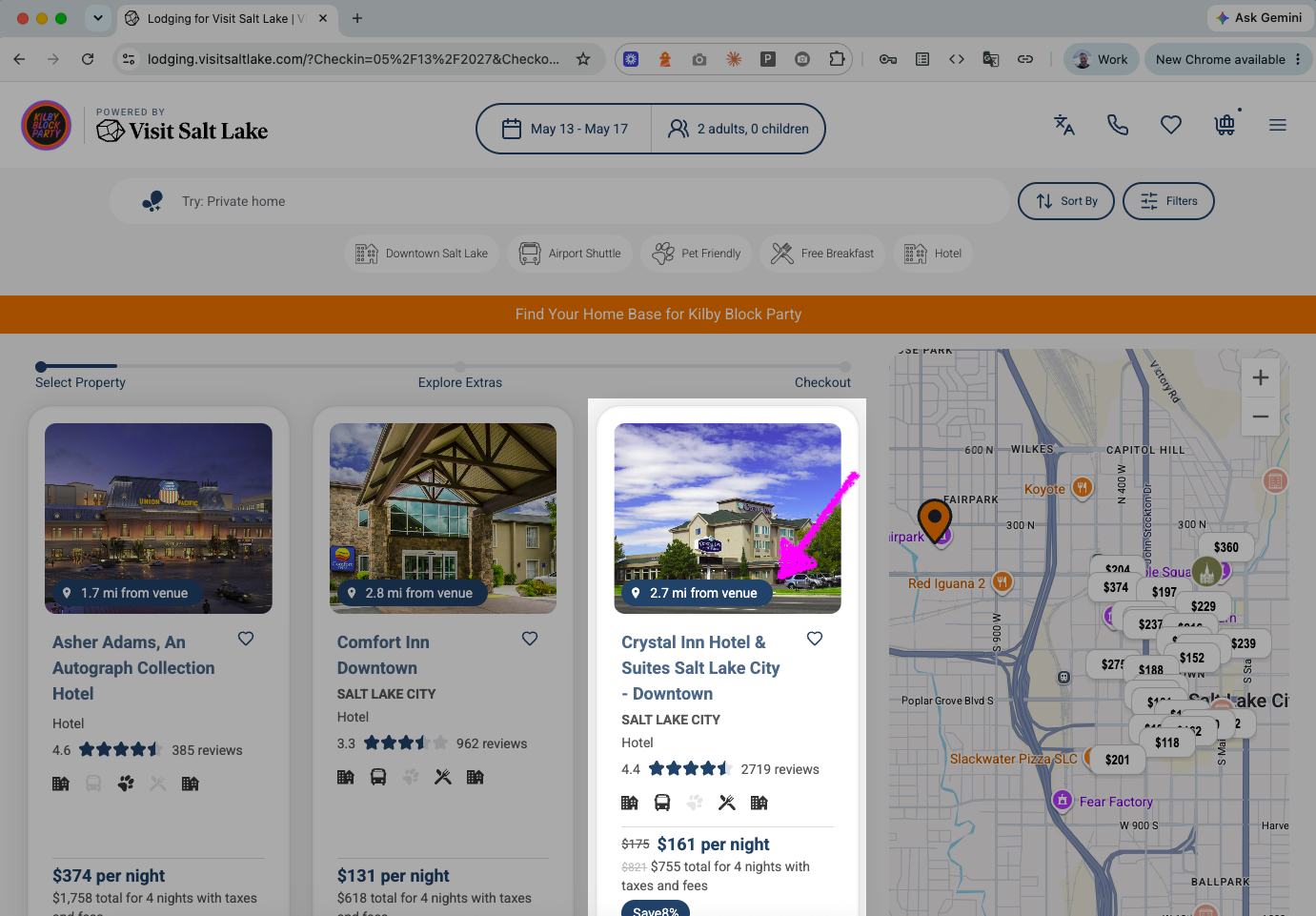
- Distance to venue — every property shows its driving distance to the event, in miles or kilometers, on search results and property detail pages.
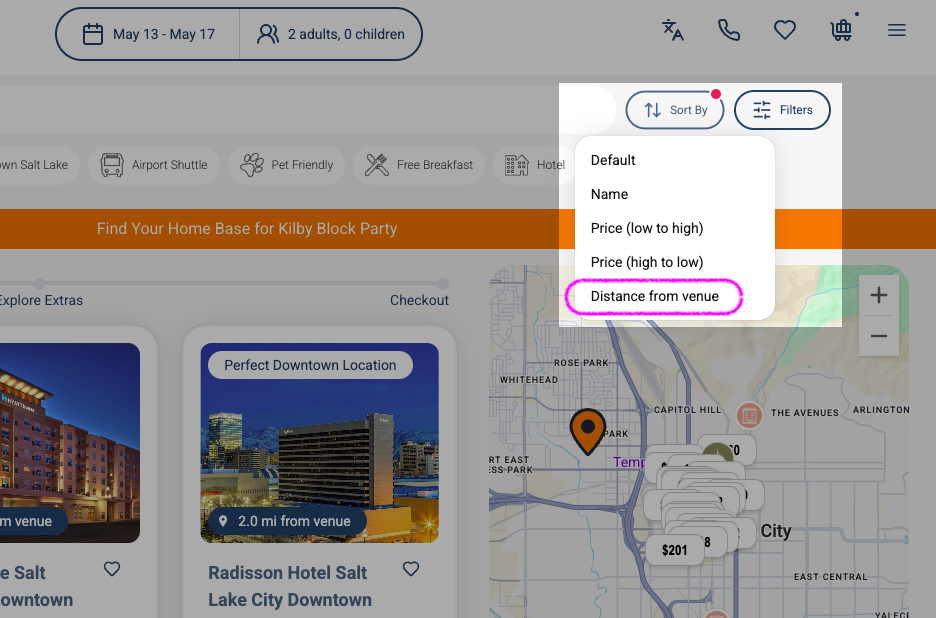
- Sort by closest — travelers can sort available properties by distance to the venue.
- Automatic venue pin — the event location is added to the map for you.
How to Set Up
Everything is setup on the microsite settings page in the Ripe admin.
- Add the event or venue logo
- Enter the event location
- Choose miles or kilometers
- Enable Proximity on the page
That's it. Distance, sorting, and the map pin all appear automatically.
Good to Know
- Distances are actual driving distances, based on the most common route between each property and the event.
- Distances update automatically whenever you save a change to the event location or add new properties.
- The manager of the site can choose between miles and kilometers.
- Distance and sorting appear only when an event location has been added and Proximity is enabled.
Questions or feedback? Reach out to your Ripe account team.