
Event Passcode
Protect negotiated or private rates behind a passcode gate — so only the right attendees get access to the right pricing.
Overview
Event Passcode is a gate mechanism for microsites that allows you to block access to private or negotiated rates unless you know the passcode to the site. Think of it like a promo code on an e-commerce checkout — you share it with your invited guests, they enter it to get in, and everyone else hits a wall.
This is available now on all accounts, for both existing and new affiliates.
Common use cases:
- Negotiated room block rates for a specific event
- Private pricing for VIPs, sponsors, or press
- Early access windows before public availability opens
How It Works
The passcode is enforced at the entry point. A user who lands on the event URL — or navigates directly to a property detail page — will be prompted to enter the passcode before they can browse or book. Wrong passcode, no entry. Correct passcode, full access to the portal and its configured rates.
The gate persists across the session, so guests only need to enter it once.
Setting Up a Passcode
- Navigate to the affiliate's Settings
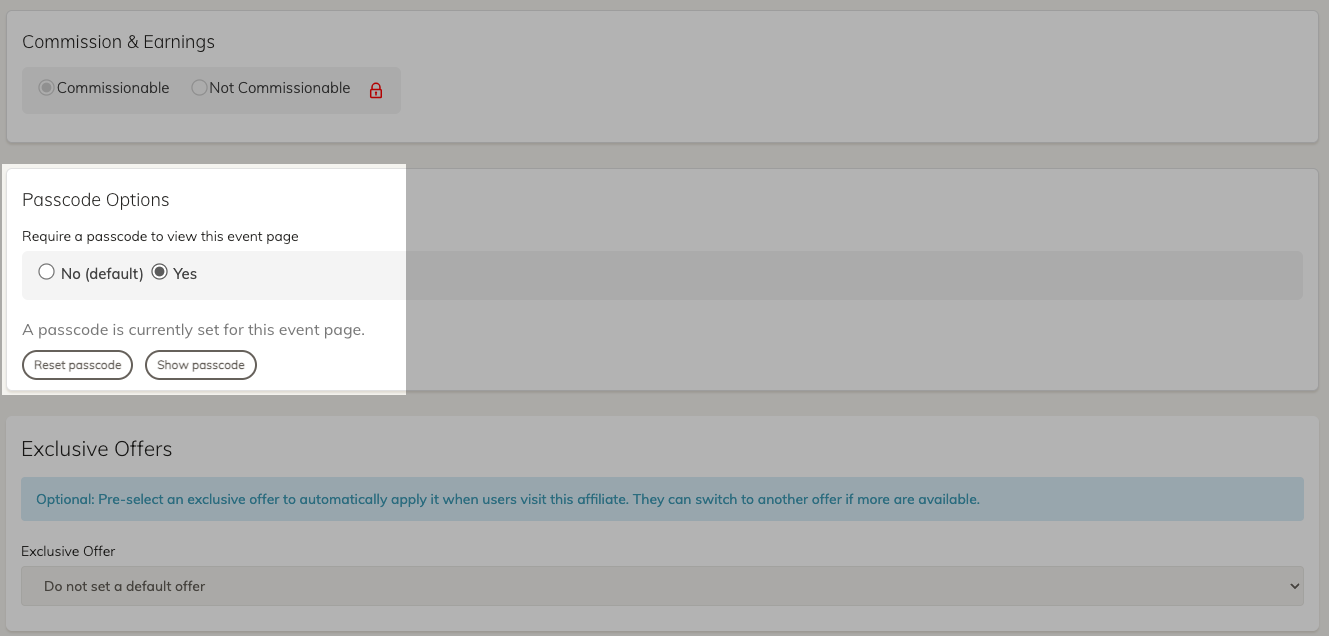
- Locate the Passcode Options section — it defaults to No passcode required
- Toggle passcode protection on and enter your desired passcode
- Confirm the passcode by entering it a second time
- Scroll down and Save
That's it. Generate your event link and share it — along with the passcode — with your attendees.
Note: The passcode field is not case-sensitive. Given this is a general gate, not a unique or personal code, with private information, this reduces failures for qualified guests.
Testing It
The easiest way to verify the gate is working is to open an incognito window and paste in the event link. You should be prompted for the passcode immediately. Enter an incorrect value to confirm rejection, then enter the correct one to confirm access. From there, the portal should behave exactly as it would without a passcode — dates, rates, negotiated pricing, all of it.
Video Walkthrough
FAQs
Can I have multiple passcodes for a single event?
Not currently — the feature supports a single passcode per event microsite.
Does the passcode apply to property detail pages too?
Yes. If a guest lands directly on a property detail page (e.g., via a shared link), they'll still be prompted for the passcode if they haven't already authenticated in that session.
Can I remove or change the passcode later?
Yes — return to the affiliate's Settings and update or clear the passcode field and save.
What happens if a guest forgets the passcode?
They won't be able to access the portal without contacting you or finding where it's published. Make sure your distribution plan for the passcode is solid — there's no guest-facing recovery flow.
Updated 6 months ago