
Smart Search Website Widget
Natural langague lodging search for your site and local events
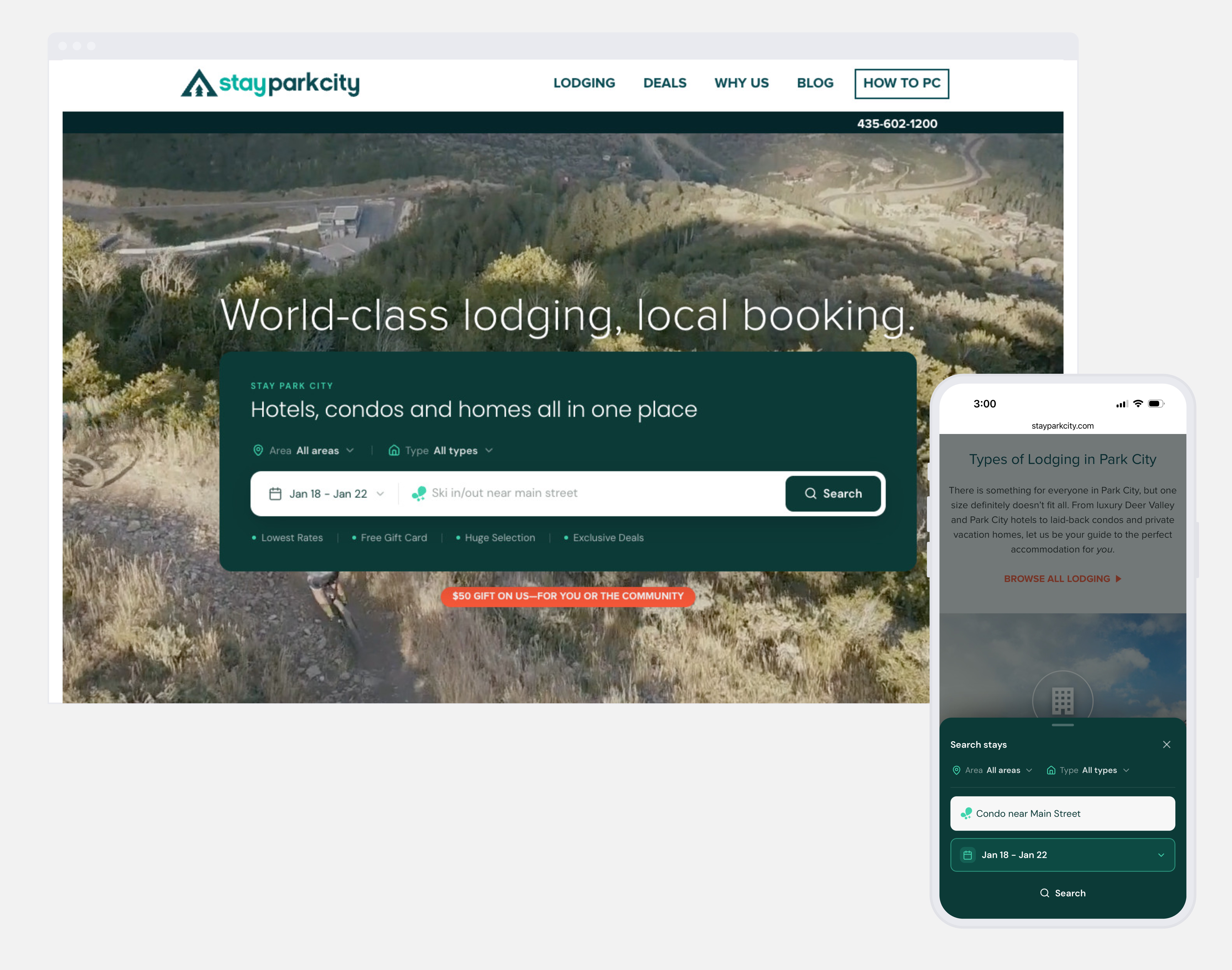
Smart Search is the all-new search widget for your Ripe-powered lodging site. Instead of forcing travelers into dropdowns and date pickers before they've even decided what they want, it lets them type what they're actually looking for — "hotels with a pool for a family," "condos that allow pets," "family friendly near the beach" — and takes them straight into results they can keep narrowing down inside the booking engine.
It's live and available now for all e-commerce engine clients.
Why it matters
- Travelers search in sentences, not filters. Natural language captures intent earlier that a date-centric dropdown never will.
- The search doesn't end at the widget. The query carries into the booking engine, where travelers see immediate results and can continue refining without starting over.
All new - search intent and insights data
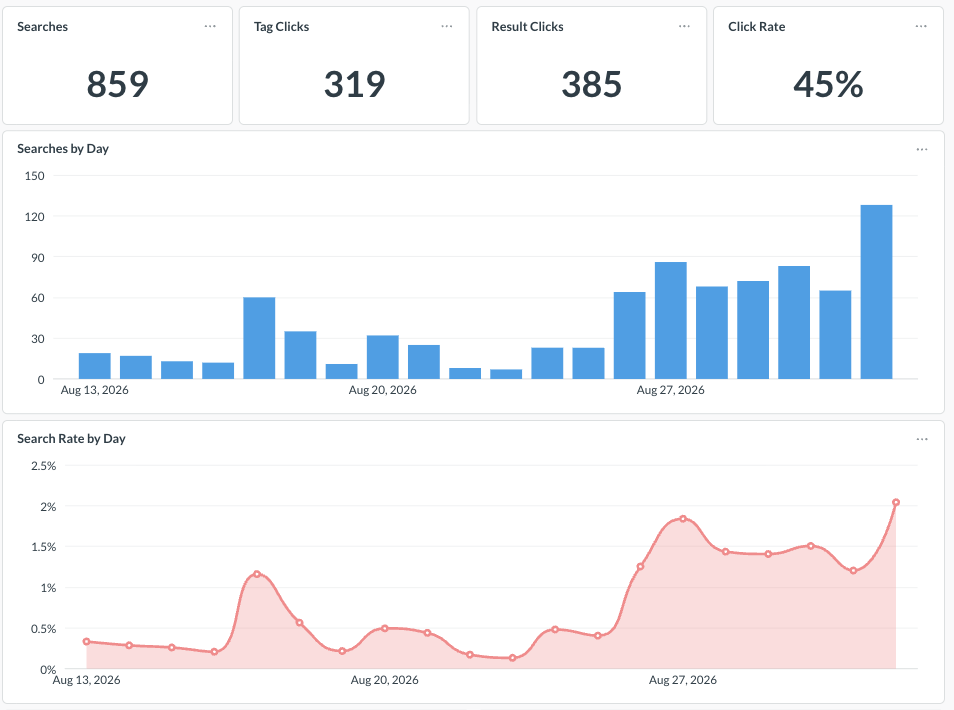
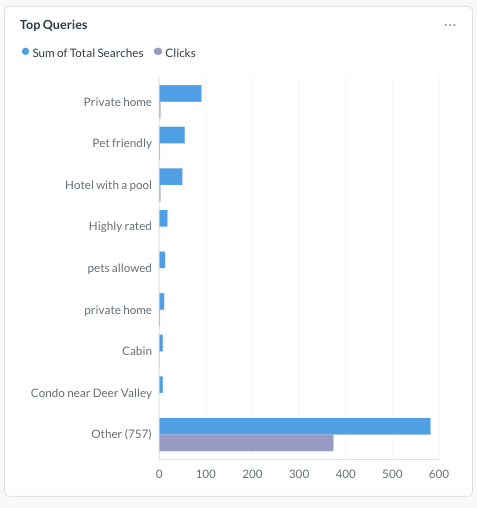
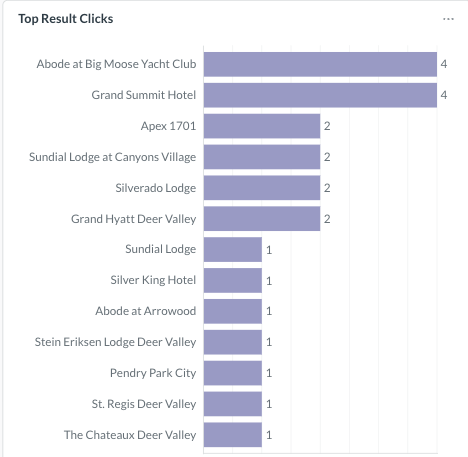
You get the intent data. Every search feeds the Search Insights dashboards in your CRS — volume, click rates, and top queries — so you can see what people want in your destination, not just what they booked.
| Top Queries | Top Property Clicks |
|---|---|
 |  |
Turning it on
Already using the Ripe ITA search widget? Smart Search is a single toggle in your CRS. No developer, no new code, no deploy. Same for turning it back off — you can run Simple Search or Smart Search from the same widget.
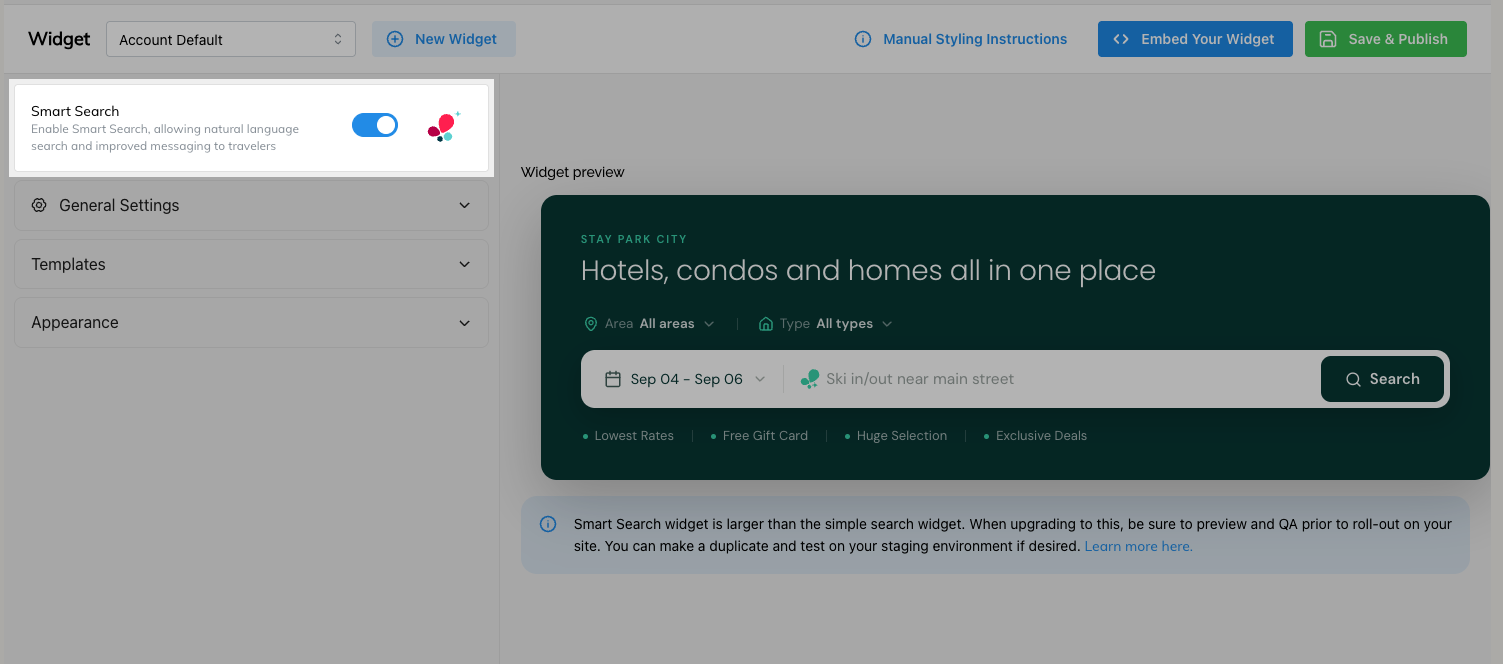
Still on the legacy search widget? Replace it with the current Ripe ITA widget. That's a one-time swap, and it's worth doing regardless: the legacy widget no longer receives improvements or new features, and the new widget is where everything going forward lands. Once it's installed, Smart Search (and everything below) becomes a toggle rather than a ticket.
If your site is a referral (non-bookable) implementation, Smart Search isn't available. Without live rates and availability behind it, the search results wouldn't be meaningful enough to be useful.
Branding and customization
Setup video overview
The widget inherits your theme colors directly from the CRS, so it looks like your site out of the box. From there, nearly every piece of copy is yours to control:
-
Eyebrow and headline (optional but highly suggested)— set the framing above the search bar
-
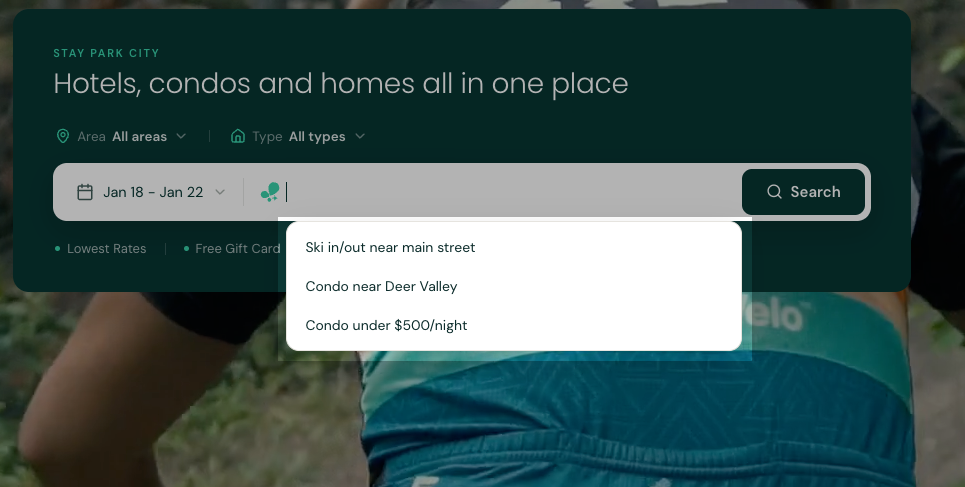
Rotating placeholders — cycle localized example searches so travelers see the kinds of queries that make sense in your destination
-
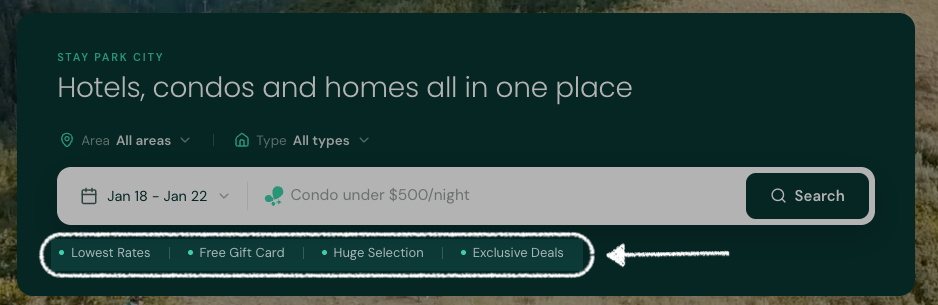
Why Book Here messaging — highlight your value adds: lowest rates, free gift card, huge selection, exclusive deals, or whatever differentiates booking direct with you
-
You can also copy an existing widget to spin up a new one with different branding or messaging — useful if:
- you want to create a test widget for staging first
- you want to set a default area to place a widget on each of your region's pages of your website
- you run multiple Event and Venue microsites or campaign pages
Smart defaults for specific pages
Each widget can be configured with its own defaults:
- Areas — scope a widget to a specific neighborhood, district, or town
- Property types — default to condos, hotels, vacation rentals, and so on
- Dates — preset a date range where it makes sense
- Exclusive offers - set a default exclusive offer to align to a current marketing campaign. it will be preselected when the user lands on the site and can always change it. When the campaign ends, just update it within the CRS without deploying any new code to your website.
This is where the widget really earns its keep on area- and interest-specific pages. A widget on your downtown page can default to downtown properties; one on a lakeside page can default to vacation rentals in that area. Travelers land already pointed in the right direction.
Mobile
Smart Search is built mobile-first and includes interactions designed specifically for touch. The desktop and mobile experiences differ slightly — desktop picks up keyboard-driven behaviors that don't apply on a phone — but both are fully supported.
Event and Venue Microsites
just like previously, you can quickly spin up a smart search widget for any event, microsite or your own campaigns. For example:
- you're doing a spring stay and save special. Include a specific widget for that promotion page to land on your campaign
- Set up the local marathon with a microsite. Give them their own branded widget to match their colors to put onto their registration site. Participants are automatically directed to the Marathon microsite, which can include prioritized hotels, negotiated rates and more.
Before you go live
A few things worth knowing up front:
- The widget is larger than Simple Search. Depending on how your site was originally built, the extra height may push into surrounding elements. Some pages need minor layout adjustments; many need none at all. It isn't a requirement, just something to look at.
- Test on staging first. Preview the widget in a staging environment before pushing to production, especially on hero sections and above-the-fold placements.
- Verify your results manually. There's no results-count preview in the configuration screen yet, so if you've set area or property type defaults, run a couple of searches to confirm you're returning a healthy set of properties rather than a nearly empty page.
- Default dates can show up where you didn't intend. We're aware of a bug where a configured default date range can appear on general-purpose widgets. If you see dates you didn't set, check the widget's date configuration or reach out to your Ripe contact.
- On-page click tracking isn't available. Because Ripe doesn't host your domain, we can't provide heat maps or click-level tracking on the widget itself. Search intent and query performance are reported through the CRS Search Insights dashboards instead.
Recommended setup
Smart Search ships with best-practice defaults, so the fastest path is to install the widget, toggle Smart Search on, and adjust only what you need — usually your Why Book Here messaging and any page-specific area or property type defaults. Configure deliberately rather than exhaustively; a few well-chosen settings outperform a fully hand-tuned widget on every page.
Questions or want help with placement? Contact your Ripe account team.
Updated about 1 month ago