
Ripe MCP Setup
Ripe MCP Server
The Ripe MCP Server connects AI assistants and agents to lodging inventory across Ripe DMO destinations in the US and Canada. Search properties, check live availability, and pull property content, all through the Model Context Protocol.
1. Get an API key
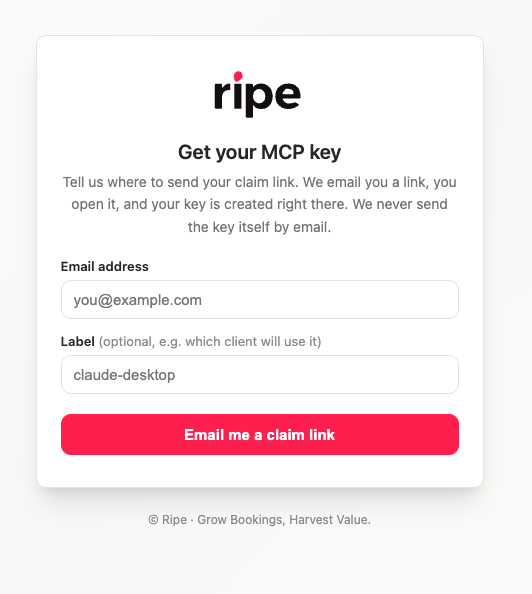
- Go to https://mcp.bookripe.com/v1/mcp-global/keys/request
- Enter your email (and optionally a label for the client that will use the key).
- Open the claim link we email you. Opening it creates your key.
For security, the key itself is never sent by email. Treat it like a password.
2. Try it live
Open the API Reference page for the Ripe MCP Server, paste your key into the Authorization field, pick an example (for instance tools/list or search_properties), and send the request.
3. Connect your AI client
Server URL: https://mcp.bookripe.com/v1/mcp-global
Auth: Authorization: Bearer <your-key> (or X-API-Key: <your-key>).
Clients that support headers (Claude Code, Cursor, VS Code, Gemini CLI)
{
  "mcpServers": {
    "ripe": {
      "url": "https://mcp.bookripe.com/v1/mcp-global",
      "headers": {
        "Authorization": "Bearer YOUR_KEY"
      }
    }
  }
}
Clients that cannot send headers (some web UIs)
Put the key in the URL path instead: https://mcp.bookripe.com/v1/mcp-global/k/YOUR_KEY. Anyone with this URL can use your key, so never share or commit it.
Available tools
| Tool | What it does |
|---|---|
search_properties | Search lodging by location, amenities, property type, or vibe |
get_property_content | Descriptions, amenities, and details for properties |
get_property_availability | Live room and rate detail for one property |
get_property_images | Property photos for display in chat |
list_destinations | Browse destinations by theme or region |
list_search_vocabulary | Exact amenity and property type terms the search accepts |
search_microsites | Event and partner curated lodging collections |
get_server_info | Server version and health check |
Known behavior
search_propertiesreturns indicative lead rates only. Callget_property_availabilitybefore showing a price to a traveler.- Searches need a place, region, or event. Placeless searches are discouraged.
- Keys can be throttled or revoked for abuse.
Updated 21 days ago